Implementing Email OTP
In this guide, you'll implement a secure email-based One-Time Password (OTP) authentication system. Rather than providing step-by-step code snippets, we'll focus on the principles and security considerations that should guide your implementation.
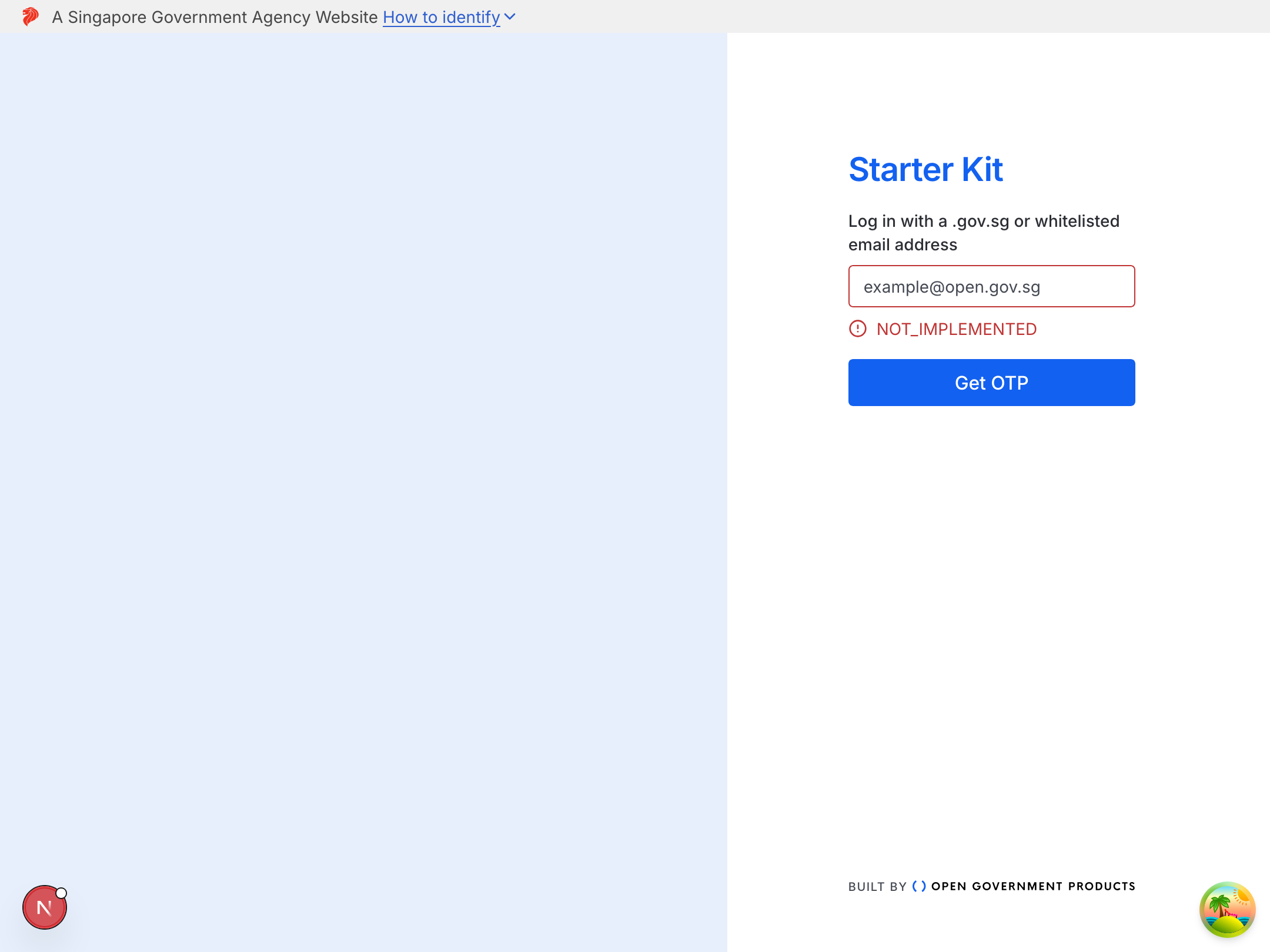
When you first start up the application, you will realise that the email OTP authentication flow is not functional yet. This is because we have not implemented the necessary backend logic to handle OTP generation, storage, verification, and user session management.
Overview
Email OTP authentication involves several key steps:
- User requests OTP: Generate and send a secure token to their email
- Token storage: Store a hashed version of the token in the database
- User enters OTP: Verify the token matches what was stored
- Session creation: Establish an authenticated session upon successful verification
Prerequisites
Before starting, ensure you have completed the setup guide and have the application running locally.
Product Requirements Document
1. Objective
Build a secure email-based One-Time Password (OTP) authentication system that protects against common attack vectors including brute force, replay attacks, denial of service, and timing attacks.
2. User Stories
As a user, I want to:
- Login using only my email address without managing passwords
- Receive a one-time code via email that expires after a reasonable time
- Be able to request multiple OTPs from different devices without conflicts
- Know when my OTP expires and how to request a new one
- Be protected from attackers trying to lock me out of my account
As a system administrator, I want to:
- Ensure tokens are securely stored and cannot be reverse-engineered from database breaches
- Prevent attackers from brute forcing OTP codes
- Isolate failed login attempts per session to prevent denial of service
- Support multiple authentication providers (email, OAuth) for the same user
- Maintain audit trails and security best practices
3. Functional Requirements
3.1 Database Schema
User Model
- Purpose: Represents authenticated users in the system
- Relations: One user can have multiple accounts (multi-provider support)
- Deletion Behavior: Cascade delete to remove all linked accounts
Account Model
- Purpose: Links authentication providers to users
- Design rationale to consider: Supports multiple authentication methods per user while maintaining single user identity
VerificationToken Model
- Purpose: Temporary storage for OTP verification
- Design rationale to consider:
- Identifier uses
JSON.stringify([email, codeChallenge])to enable per-session attempt tracking and prevent string concatenation issues - Multiple concurrent OTP requests don't interfere
- Ability to calculate expiration of tokens
- Identifier uses
3.2 Token Generation and Hashing
OTP Generation Requirements
- Use cryptographically secure random number generator
- 6-digit numeric code (configurable)
- Exclude ambiguous characters in prefix (0/O, 1/I/l)
- Optional prefix format:
ABC-123456for multi-login identification
Hashing Algorithm
- Use a key derivation function suitable for password hashing
Hashing Strategy
- Input:
token(the OTP itself) - Salt:
codeChallenge + email - Output: Base64-encoded hash
- Benefits:
- Same OTP produces different hashes for different users (rainbow table prevention)
- Same OTP produces different hashes across sessions (via unique codeChallenge)
- Requires both correct token AND knowledge of the original codeVerifier to verify
PKCE-like Code Verifier/Challenge Requirements
This implementation uses a PKCE-like approach inspired by RFC 7636 (originally designed for OAuth 2.0).
Client-side Code Verifier Generation
- Generate using cryptographically secure random source
- Length: 128 characters (as per RFC 7636)
- Character set:
[A-Z],[a-z],[0-9],-,.,_,~(URL-safe) - Stored client-side only (never sent in login request)
Client-side Code Challenge Derivation
- Method: SHA-256 hash of code verifier
- Encoding: Base64-URL encoded (without padding)
- Formula:
codeChallenge = BASE64URL(SHA256(codeVerifier)) - Sent to server during login request
Token Comparison
- Must use constant-time comparison (
crypto.timingSafeEqual) - Prevents timing attacks
- Handle buffer length differences gracefully
3.3 API Endpoints
The TRPC procedures are already scaffolded for you in auth.router.ts. You will need to implement the service logic called by these procedures.
POST /api/auth/login
- Input:
{ email: string, codeChallenge: string } - Process:
- Validate email format
- Validate codeChallenge format (base64url, appropriate length)
- Generate OTP token
- Hash token with salt =
codeChallenge + email - Create identifier:
JSON.stringify([email, codeChallenge]) - Store hashed token in database with the identifier
- Send OTP to user's email
- Return OTP prefix
- Output:
{ email: string, otpPrefix: string } - Session State After: No session state needed (stateless)
- Database Record Created:
VerificationToken {
  identifier: JSON.stringify([email, codeChallenge])
  token: hashedToken
  issuedAt: timestamp
  attempts: 0
}
POST /api/auth/verify-otp
- Input:
{ email: string, token: string, codeVerifier: string } - Process:
- Derive codeChallenge from codeVerifier:
BASE64URL(SHA256(codeVerifier)) - Create identifier:
JSON.stringify([email, codeChallenge]) - Look up verification record using identifier
- Throw if no record found:
"Authentication session expired or invalid" - Check if token expired (compare
issuedAtwithOTP_EXPIRY) - Check if attempts exceeded limit (e.g., 5 attempts)
- Hash provided token with salt =
codeChallenge + email - Compare hashed token using constant-time comparison
- If valid:
- Delete verification record (one-time use)
- Upsert user and account
- Store user ID in session
- Save session
- Return user data
- If invalid:
- Atomically increment attempts counter
- Throw appropriate error
- Derive codeChallenge from codeVerifier:
- Output:
{ id: string, email: string } - Session State After:
{ userId: string } - Error States:
- No matching record:
"Authentication session expired or invalid" - Invalid token:
"Token is invalid or has expired" - Too many attempts:
"Wrong OTP was entered too many times"
- No matching record:
4. Non-Functional Requirements
4.1 Security
Must Have
- Token hashing with key derivation function (scrypt/Argon2)
- Timing-safe comparison for token validation
- Session-isolated attempt tracking
- Generic error messages (no information disclosure)
- HTTPS in production
- Encrypted session cookies (httpOnly, secure, sameSite flags)
Should Have
- IP-based rate limiting (covered in separate module)
- Session timeouts (default: 7 days, configurable)
- Audit logging of authentication attempts
Nice to Have
- CAPTCHA for high-volume requesters
- User notifications with IP addresses in OTP emails
- IP binding for sensitive operations
4.2 Performance
- OTP generation: < 100ms
- Token hashing: Configurable cost parameter (balance security vs. performance)
- Database operations: Use atomic operations where possible
- Expiration calculation: Compute from
issuedAt(no stored expiry field)
4.3 Usability
- Token expiry: 10 minutes default (configurable 2-30 minutes)
- Clear error messages without security leaks
- OTP prefix for multi-device login disambiguation
- Console logging in development mode
5. Technical Constraints
Baseline Technologies
Feel free to use other libraries and env_vars as needed, but the following have already been set up in the project:
- Prisma ORM (PostgreSQL)
- Node.js crypto module (scrypt, randomUUID, timingSafeEqual)
- iron-session for encrypted session cookies
- email-addresses library for RFC 5322 parsing
Configuration Variables
OTP_EXPIRY: Token validity period in seconds (default: 600)
Defaults
- Session cookie lifetime (default: 7 days)
- Verification attempts per session (default: 5)
6. Security Architecture
Attack Vector Coverage
| Attack Type | Mitigation Strategy |
|---|---|
| Brute Force | Per-session attempt limiting (5 attempts) |
| Denial of Service | CodeChallenge-based session isolation |
| OTP Interception | CodeChallenge derived from codeVerifier + token deleted after use |
| Timing Attack | Constant-time comparison |
| Rainbow Tables | Email and codeChallenge as salt |
| Information Leakage | Generic error messages |
| Database Compromise | Tokens hashed, not reversible |
| Session Hijacking | CodeVerifier adds extra factor + encrypted cookies + HTTPS |
| Email Spam | IP-based rate limiting (separate module) |
| Concurrent Logins | Each session gets unique codeChallenge, independent verification |
7. Acceptance Criteria
User Login Flow
- ✅ User can request OTP with email address
- ✅ OTP email received with prefix and expiration time
- ✅ User can verify OTP within expiration window
- ✅ Session established after successful verification
- ✅ User redirected to authenticated application
Security Validation
- ✅ Tokens stored as hashes in database
- ✅ Same OTP produces different hashes for different users
- ✅ Same OTP produces different hashes in different sessions
- ✅ Failed attempts increment only for that session
- ✅ Attacker cannot lock out legitimate user
- ✅ Intercepted OTP useless without codeVerifier
- ✅ Token deleted after successful use
- ✅ Expired tokens rejected
- ✅ Error messages don't reveal failure reason
Edge Cases
- ✅ Multiple OTP requests from same browser: Latest OTP valid
- ✅ Multiple OTP requests from different browsers: Both valid
- ✅ Session expires: Verification fails with "session expired" error
- ✅ 5 failed attempts: Session locked, must request new OTP
- ✅ Database record missing: Generic error returned
- ✅ Buffer length mismatch in comparison: Graceful failure
8. Out of Scope
The following are explicitly NOT included in this PRD:
- IP-based rate limiting (covered in Rate Limiting module)
- CAPTCHA implementation (stretch goal)
- OAuth provider integration (covered in next section)
- Email template customization
- Audit logging implementation
- Admin dashboard for authentication monitoring
Success State: After implementation, you should be able to complete the full login flow. Invalid OTPs will show appropriate error messages, and valid OTPs will log you in and redirect to the application.
Security Architecture Summary
Throughout this guide, you may have seen references to a PKCE-like authentication system that addresses multiple security concerns simultaneously. Let's review how the architecture prevents common attacks:
Denial of Service (DoS) Prevention
The Problem: Without session isolation, an attacker can deliberately fail OTP verifications for any email address, exhausting the attempt limit and locking out legitimate users.
The Solution: Each login request with a unique codeChallenge creates isolated verification attempts:
User's Request (CodeChallenge: ABC...123)
└── Identifier: ["user@example.com", "ABC...123"]
    └── Attempts: 2/5

Attacker's Request (CodeChallenge: XYZ...789)
└── Identifier: ["user@example.com", "XYZ...789"]
    └── Attempts: 5/5 ← LOCKED OUT

Result: User unaffected, can still login
The identifier (JSON.stringify([email, codeChallenge])) ensures each login session has its own attempt counter. Attacks on one session don't affect others.
OTP Interception Prevention
The Problem: An attacker intercepts an OTP from an email. Without additional protection, they could use it to login.
The Solution: The OTP hash is bound to the codeChallenge, which can only be regenerated by someone who knows the original codeVerifier:
1. User generates codeVerifier "dBjftJeZ...tpKgV" (kept client-side)
2. User derives codeChallenge: SHA256(codeVerifier) → "E9Melhoa...ZU_R8"
3. User sends login request with email + codeChallenge
4. Server generates OTP "123456", hashes with salt=codeChallenge+email
5. OTP "123456" sent to email
6. Attacker intercepts "123456"
7. Attacker tries to verify:
   - Needs the original codeVerifier to derive matching codeChallenge
   - Attacker doesn't have codeVerifier (never transmitted)
   - Even with OTP, verification fails because codeChallenge won't match
The attacker would need to break SHA-256 to derive the codeVerifier from the codeChallenge—cryptographically infeasible.
Concurrent Login Isolation
The Problem: A user might request multiple OTPs (different devices, or clicked "resend" multiple times). These shouldn't interfere with each other.
The Solution: Each OTP request with a unique codeChallenge creates independent verification records:
Browser A → CodeVerifier X → CodeChallenge X' → OTP "111111" → Valid for 10 minutes
Browser B → CodeVerifier Y → CodeChallenge Y' → OTP "222222" → Valid for 10 minutes

User can use either OTP with their respective codeVerifier.
Failed attempts for Challenge X' don't affect Challenge Y'.
Session Hijacking Resistance
Additional Layer: Even if an attacker steals the codeVerifier, they still need:
- The OTP sent to the victim's email
- To use it before expiration
- To use it before the legitimate user does
The codeVerifier adds an extra factor—something you generated (codeVerifier on device) + something received via email (OTP).
Remaining Possible Security Issues
This system doesn't solve everything:
Email Spam: An attacker can still generate many OTP requests. Mitigation:
- IP-based rate limiting at multiple levels:
- Per IP address per time period (e.g., 100 requests per hour)
- Per email address per IP per time period
- Global rate limiting to protect infrastructure
- CAPTCHA for high-volume senders
- Email provider abuse detection
Email Compromise: If the user's email account is compromised, the attacker can receive OTPs. Mitigation:
- User education about email security:
- Use strong email passwords
- Enable 2FA on email accounts
- Be aware of phishing attempts
- Verify sender addresses in OTP emails
- Consider adding SMS or authenticator app as backup
- Monitor for suspicious login patterns
Session Cookie Theft: If session cookies are stolen (XSS, network sniffing), attackers gain partial access. Mitigation:
- Always use HTTPS in production
- Set secure, httpOnly, sameSite cookie flags
- Implement session timeouts
- Consider IP binding for sensitive operations
Testing Your Implementation
There are also integration tests scaffolded for you in auth.service.spec.ts and user.service.spec.ts. Some of the current tests are also incomplete.
Complete the tests to cover:
- The fleshed out
auth.service#emailLoginfunction - The fleshed out
auth.service#emailVerifyOtpfunction - The fleshed out
user.service#upsertUserAndAccountByEmailfunction
Since the functions are already fleshed out (and you also have the above PRD), you can always use AI to help you write the tests faster. For even better understanding, you can try writing the tests yourself first before using AI to compare and improve your tests.
pnpm test
You should see all the tests passing, even the previous ones that were failing before.
Common Pitfalls
1. Storing Plain Text Tokens
❌ Wrong:
create: {
  token: token, // Plain text!
}
✅ Correct:
create: {
  token: hashedToken, // Always hash
}
2. Not Using Timing-Safe Comparison
❌ Wrong:
return tokenHash === hash; // Vulnerable to timing attacks
✅ Correct:
return crypto.timingSafeEqual(Buffer.from(tokenHash), Buffer.from(hash));
3. Retrieval and incrementing attempts atomically
❌ Wrong:
const token = await db.verificationToken.findUnique({
  where: { identifier: email },
});

await db.verificationToken.update({
  where: { identifier: email },
  data: { attempts: token.attempts + 1 },
});
✅ Correct:
await db.verificationToken.update({
  where: { identifier: email },
  data: {
    attempts: {
      increment: 1,
    },
  },
});
Ensure that the retrieval and incrementing of attempts is done atomically to prevent race conditions.
3. Revealing Too Much in Errors
❌ Wrong:
if (hasExpired) throw new Error("Token expired");
if (!isValid) throw new Error("Token invalid");
✅ Correct:
if (hasExpired || !isValid) {
  throw new Error("Token is invalid or has expired");
}
Don't give attackers information about which check failed.
4. Not Deleting Used Tokens
❌ Wrong:
// Just check validity, don't delete
if (isValid) {
  return true; // Token can be reused!
}
✅ Correct:
if (isValid) {
  await db.verificationToken.delete({ where: { identifier: email } });
  return true;
}
5. Denial of Service via Attempt Incrementation
Not implementing strategies to mitigate DoS attacks when incrementing attempts can lead to account lockouts. Consider rate limiting, session-based restrictions, user notifications, and CAPTCHA to prevent abuse.
6. Client-Side codeVerifier Generation
❌ Wrong:
// Weak random generation
const codeVerifier = Math.random().toString(36);
✅ Correct:
// Cryptographically secure random generation
import { customAlphabet } from 'nanoid'

export const pkceVerifierGenerator = customAlphabet(
  'ABCDEFGHIJKLMNOPQRSTUVWXYZabcdefghijklmnopqrstuvwxyz0123456789-._~',
  128,
)

const codeVerifier = pkceVerifierGenerator()
7. Incorrect Code Challenge Derivation
❌ Wrong:
// Plain base64 encoding (not hashed)
const codeChallenge = btoa(codeVerifier);
✅ Correct (Browser):
// SHA-256 hash + base64url encoding
const encoder = new TextEncoder()
const data = encoder.encode(codeVerifier)
const hashBuffer = await window.crypto.subtle.digest('SHA-256', data)

const hashArray = Array.from(new Uint8Array(hashBuffer))
const base64 = btoa(String.fromCharCode(...hashArray))
return base64.replace(/=/g, '').replace(/\+/g, '-').replace(/\//g, '_')
✅ Correct (Node.js Server):
// SHA-256 hash + base64url encoding
import { createHash } from 'crypto'

const codeChallenge = createHash('sha256')
  .update(codeVerifier)
  .digest('base64url')
Extension Exercises
Want to practice more? Try implementing:
-
Account Linking: Allow users to add multiple auth providers
- We will be looking at implementing this in the next section
-
Audit Logging: Track all authentication attempts
Summary
You should have now implemented a production-ready email OTP authentication system with:
- ✅ Secure token hashing with email and codeChallenge-based salting
- ✅ Token expiration for time-limited validity
- ✅ Protection against Denial of Service attacks using codeChallenge isolation
- ✅ One-time use tokens to prevent OTP interception
- ✅ Timing-safe comparison to prevent timing attacks
This pattern is used across many OGP applications and demonstrates security best practices for passwordless authentication.